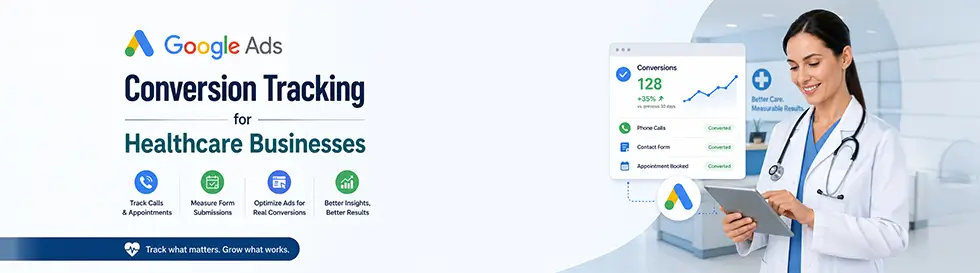
Digital marketing is essential, especially in competitive fields like healthcare and medical services. It’s one thing to run ads, it’s another to understand whether those ads actually drive real patient engagement. That’s where Google Ads conversion tracking for healthcare becomes a game-changer.
Whether a small clinic, specialist practice, or large healthcare provider, knowing which ads lead to meaningful actions such as appointment bookings, contact form submissions, phone calls, or even app downloads, empowers you to make smarter decisions, sharpen your marketing strategy, and improve your return on investment (ROI). For medical businesses aiming to excel in digital marketing for healthcare, Google AdWords conversion tracking provides the roadmap to success. It offers precise data on how well your campaigns are performing, enabling you to optimize your efforts and achieve measurable outcomes. When implemented strategically, Google Ads tracking for healthcare gives providers actionable insights into patient behavior, campaign performance, and budget efficiency, making every advertising penny work
In this post, we’ll explore what Google Ads conversion tracking is, why it matters for healthcare businesses, how to set it up, and how you can optimize campaigns based on actual performance data.
What Is Google Ads Conversion Tracking for Healthcare?
A conversion occurs when a user takes a valuable action after clicking on one of your ads. For medical businesses, this could include:
- Booking an appointment
- Submitting a contact or inquiry form
- Calling your practice
- Downloading a patient guide
- Using a healthcare app
Google Ads conversion tracking lets you measure these actions, showing what’s working and what isn’t. Rather than focusing solely on impressions or clicks, conversion tracking connects those clicks to real outcomes, giving you a clear view of which campaigns or keywords deliver patient engagement.
By implementing conversion tracking, healthcare advertisers can pinpoint which elements of their campaigns generate tangible results, optimizing spend and improving overall campaign effectiveness. This level of data transparency is essential for medical PPC campaign optimization, as it allows practices to refine keyword targeting, ad copy, and bidding strategies based on real conversion data rather than assumptions.
What Are the Types of Conversions You Can Track for Healthcare Businesses?
- Website Conversions: Track user interactions on your website, such as booking appointments, submitting contact forms, downloading brochures, or viewing service pages. This is especially valuable for private practices or hospitals seeking to drive healthcare lead generation through their websites.
- Phone Call Conversions: Phone calls remain critical in healthcare. Conversion tracking captures calls initiated from mobile ads or phone numbers on your website. This is invaluable for practices where patients prefer scheduling consultations via phone.
- App Conversions: If your healthcare business offers a mobile app for appointment scheduling, prescription refills, or patient education, app conversions track key actions like downloads, registrations, or in-app purchases.
- Local Actions: Local clinics or hospitals can track when users click to get directions, visit a location, or interact with map listings linked to your ads.
- Video Conversions: Video ads can educate patients about procedures, wellness tips, or healthcare innovations. Conversion tracking measures engagement, such as clicks on calls-to-action (CTAs) or end-screen interactions, ensuring that your video content delivers results.
- Offline Conversions: Many healthcare services rely on in-person visits or offline interactions. By importing offline conversions from CRM systems, you can link these activities to your online ads, giving you a holistic view of campaign performance. Tracking consumer activity and determining the effectiveness of online advertisements, campaigns, keywords, and platforms that direct them to the store are made easier with offline conversion tracking.
- Custom Conversions: Custom conversions tailored to your practice’s needs can track specific user actions, such as downloading a telehealth consent form or watching a patient education video.
Tracking these micro and macro conversions helps you understand patient behavior and optimize your marketing funnel. This is a crucial advantage in competitive healthcare digital advertising, where performance-based decisions determine campaign success.
Why Medical Businesses Need Google Ads Conversion Tracking
Running Google Ads without conversion tracking is like navigating without a map. While impressions and clicks give an overview of your campaign’s visibility, they don’t tell you what truly matters, how many users took meaningful actions, such as scheduling appointments or signing up for newsletters.
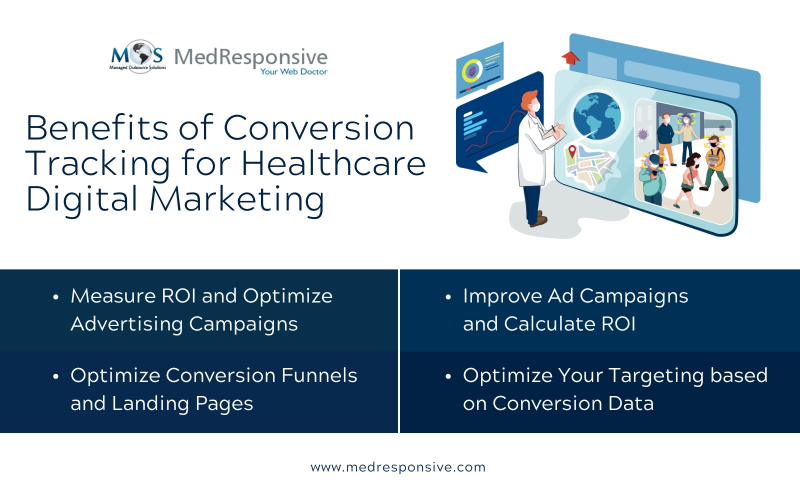
- Measure ROI and optimize advertising campaigns: Make use of outcome-based bidding techniques. The Google Ads platform provides automatic bidding methods that optimize bids based on conversion statistics, such as Target ROAS (Return on Ad Spend) and Target CPA (Cost Per Acquisition). These tactics help you reach your target cost-per-conversion by automatically modifying offers.
- Improve Ad Campaigns and Calculate ROI: You can maximize your ROI in healthcare marketing by optimizing your adverts using interaction data. You can modify your bids, targeting, and budgets in accordance with the keywords and advertisements that are producing conversions. For instance, you can pause underperforming advertising or raise bids on keywords that are working well. It assists you in redistributing your funds to more successful advertisements.
- Optimize Conversion Funnels and Landing Pages: Conversion data shows you where your prospective clients fall in the conversion process. For instance, it suggests that there is a barrier inhibiting conversions or that the landing page isn’t attractive enough if consumers click on your advertisement but don’t convert on the landing page. To find out which components increase conversions, run A/B tests on your landing pages. Conversion rates and overall ad performance can be increased by improving the user experience on your landing page.
- Optimize Your Targeting with Action-based Data: You can use performance insights to see which devices, time of day, and demographic groupings (age, gender, and location) provide the highest conversion rates:
- Refined targeting options allow you to more aggressively target specific populations.
- Focus your efforts on mobile-targeted campaigns if your audience converts better on mobile devices.
- Program your advertisements to only show on weekends or during specific times of the day if conversions are at their highest during those periods.
These techniques empower your medical business to contribute to improving patient acquisition with Google Ads tracking and adopt the best conversion strategies for healthcare marketing.
How to Set Up Google Ads Conversion Tracking
Setting up Google Ads conversion tracking may sound technical, but when broken into clear steps, it becomes manageable and valuable for your medical practice.

- Choose the Conversion Type
- Create a Conversion Action in Google Ads
- Install the Tag
- Configure Key Settings
- Test the Setup
Start by identifying the most meaningful actions for your business — such as appointment bookings, contact form submissions, click-to-call actions, app downloads, or telehealth registrations. Focus on actions that directly contribute to patient acquisition rather than minor website interactions.
Log in to your Google Ads account.
Go to Tools & Settings.
Under Measurement, select Conversions.
Click Create Conversion Action.
Select the source (Website, Phone Calls, App, or Import), then define details like conversion name, category, value, and conversion window. Clear naming helps when managing multiple services or departments.
Google will generate a tracking tag. Add the global site tag to your website and place the event snippet on the confirmation or “thank you” page. You can install it manually, through Google Tag Manager, or with developer assistance.
Assign a conversion value, choose whether to count one or every conversion, select an attribution model, and set an appropriate conversion window — especially important in healthcare where decision cycles may be longer.
Use Tag Assistant or test submissions to ensure conversions are recording correctly before optimizing campaigns.
Smart Tips for Better Tracking Results
Here are some best practices to get more value from your conversion data:
- Focus on Meaningful Actions
Avoid tracking vanity metrics like page scrolls. Track what directly impacts your business goals (appointments, contact forms, calls). - Don’t Double-Count Conversions
If you import conversions from other analytics tools like Google Analytics 4, make sure they aren’t also tracked in Ads. Duplication skews your data. - Adjust Conversion Windows Carefully
Short windows may underreport long decision cycles (common in healthcare), while overly long windows may overattribute impacts to older ads. - Regularly Review and Update Conversion Goals
As your business evolves, update what you track, adding new actions or phasing out ones that no longer matter.
Also Read: Medical PPC Optimization Strategies to Reduce Ad Spend and Increase Conversions
Google AdWords conversion tracking is a game-changer for medical businesses, offering the insights needed to optimize ad spend and achieve meaningful outcomes. From increasing appointment bookings to enhancing patient engagement, the benefits are immense.
If your healthcare business wants to thrive in a competitive digital landscape, adopting performance tracking is non-negotiable. Partner with a reliable provider of healthcare digital marketing services to implement and manage these tools effectively. With the right strategy, you will not only attract more patients but also build lasting relationships based on trust and value.