
In today’s digital-first world, website speed can make or break your online success. Slow-loading pages not only frustrate users but also impact search engine rankings, conversions, and overall brand credibility. That’s why using the right website speed performance test tools is essential for identifying bottlenecks, analyzing Core Web Vitals, and ensuring your site delivers a seamless experience across devices. These tools provide actionable insights that help businesses optimize loading times and stay competitive.
However, testing speed is only the first step. To truly maximize performance and visibility, most businesses leverage professional organic SEO services, combining technical improvements with strategic optimization. By aligning site speed enhancements with long-term SEO strategies, brands can improve user engagement, boost rankings, and drive sustainable growth.
What Are Website Speed Performance Test Tools?
Website speed performance test tools act like a diagnostic system for your website. Rather than simply indicating that your site is slow, they analyze the underlying causes and provide detailed insights into what needs improvement. Modern website speed test tools go beyond surface-level metrics and deliver in-depth technical analysis that supports smarter optimization strategies.
These tools evaluate key performance metrics such as page load time, Time to First Byte (TTFB), and Core Web Vitals — including Largest Contentful Paint (LCP), First Input Delay (FID), Cumulative Layout Shift (CLS), and the newer Interaction to Next Paint (INP). Together, these metrics help determine when a website becomes fully usable and interactive, not just when it visually finishes loading. A robust page load time checker will also highlight server delays, render-blocking resources, and script execution issues that affect user experience
Most speed testing tools rely on two primary types of data. The first is lab data, which consists of simulated tests conducted in controlled environments, such as Lighthouse audits. The second is field data, also known as Real User Monitoring (RUM), which captures performance insights from real visitors interacting with your website under actual conditions. When combined within accurate website performance testing tools online, these data sources provide a well-rounded view of both theoretical and real-world performance.
Importance of Website Speed Test Tools
Enhancing the speed at which your website loads can have a significant impact on how well it performs overall. Your performance in almost every area, from user experience to search engine optimization, is impacted by page speed. In actuality, the majority of website visitors won’t stay on a page longer than four seconds before moving on. Furthermore, there is no escaping the fact that a speedier website would function more effectively.
But it might be challenging to know where to begin. This is where site speed optimization tools becomes vital. Today, website developers and marketers utilize a wide range of free website performance platforms to amp up website loading time and overall site efficiency.
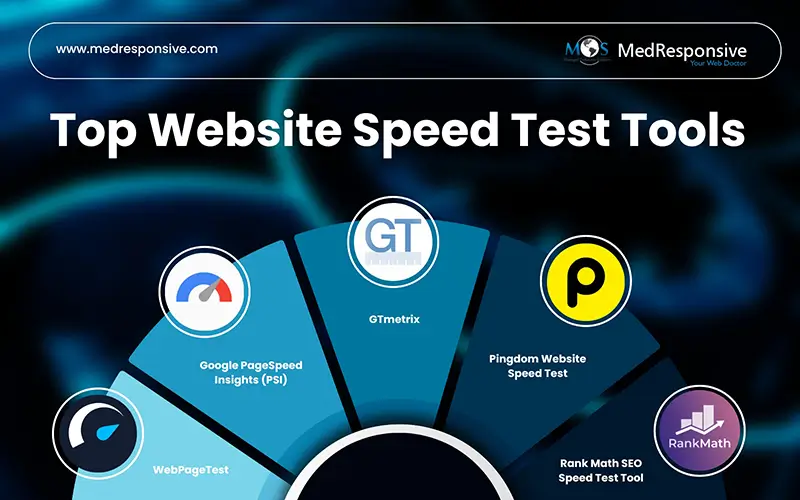
Best Website Speed Performance Test Tools for 2026
- Rank Math SEO Speed Test Tool

Rank Math SEO serves as more than just an SEO plugin — it also functions as an integrated website speed performance test tool for WordPress sites.
- Integrated Performance Tracking: Designed to work within the WordPress dashboard, Rank Math allows site owners to view performance metrics without leaving their CMS. This makes speed testing convenient and contextually linked to overall SEO performance.
- Real-Time Data: The tool pulls speed data directly from your site and displays it alongside other SEO analytics, which is helpful for quickly identifying performance issues as part of regular content management.
- Core Web Vitals Monitoring: Rank Math tracks important speed metrics, such as Largest Contentful Paint (LCP), Cumulative Layout Shift (CLS), and Interaction to Next Paint (INP), which have become essential ranking indicators.
- Performance Insights Linked to SEO: Instead of standalone speed scores, Rank Math correlates performance signals with SEO recommendations (like optimizing images or scripts), illustrating relationships between speed and search visibility.
- No Additional Setup Required: Because the tool is embedded in the WordPress environment, it doesn’t require external configuration or third-party accounts.
- Google PageSpeed Insights (PSI)
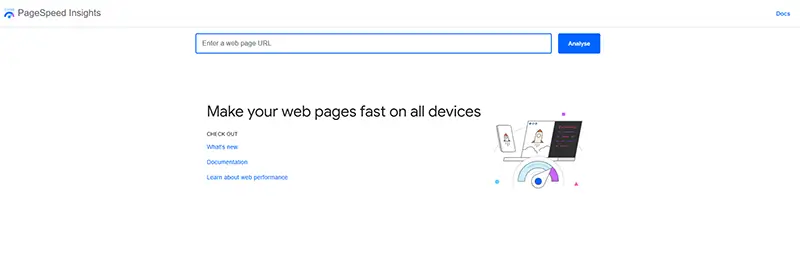
Google PageSpeed Insights is one of the most widely recognized and authoritative tools for evaluating site speed, powered by Google’s own Lighthouse engine.
- Dual Data Approach: PSI combines lab data (simulated performance measurements) with field data (real user experiences from the Chrome User Experience Report). This offers both controlled and real-world perspectives.
- Core Web Vitals Emphasis: The tool focuses on key performance metrics such as LCP (Largest Contentful Paint), FID (First Input Delay), CLS (Cumulative Layout Shift), and INP, which reflect user experience more accurately than traditional load times alone.
- Actionable Optimization Suggestions: PSI doesn’t just score your site — it provides specific recommendations like removing unused CSS, deferring offscreen images, and improving server response times.
- Mobile & Desktop Reports: Users receive separate speed assessments for desktop and mobile devices, revealing differences in performance that may require device-specific optimization.
- Score-Based Assessment: The performance score helps businesses gauge whether a page meets Google’s standards for good speed, needs improvement, or is underperforming.
- GTmetrix
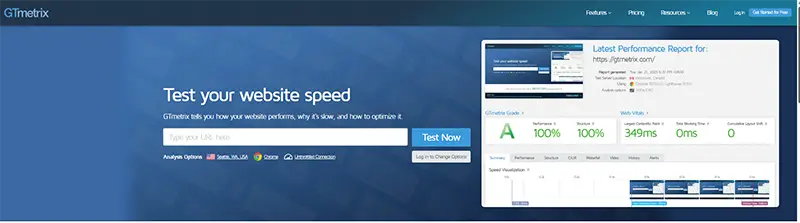
GTmetrix is a comprehensive performance testing platform that offers detailed breakdowns and diagnostic data suitable for technical teams, developers, and performance optimization professionals.
- Multiple Performance Metrics: GTmetrix reports scores from Lighthouse and integrates additional insights such as cumulative layout shift, speed index, and time to interactive.
- Waterfall Chart Visualization: One of its standout features is the waterfall chart, illustrating how every resource loads in sequence, helping diagnose specific bottlenecks like large scripts or slow image loads.
- Performance & Structure Reports: GTmetrix separates performance scores into thematic areas, such as structure and page loading behavior, offering layered insight into both front-end rendering and underlying HTML/CSS efficiency.
- Historical Tracking: Users can schedule recurring tests and monitor performance trends over time, enabling performance regression analysis after updates or new deployments.
- Test Customization: You can choose which performance metrics are prioritized or focus on specific load behaviors that matter most for your project.
- Pingdom Website Speed Test

Pingdom Website Speed Test is a user-friendly tool that provides straightforward performance insights, ideal for both beginners and moderately experienced users.
- Clear Performance Breakdown: It presents key metrics such as load time, total page size, and number of HTTP requests in a way that’s easy to understand, making it suitable for non-technical stakeholders.
- Performance Grade: The tool assigns a performance score based on various criteria, helping businesses quickly assess whether their site meets basic performance expectations.
- Waterfall Analysis: Pingdom visualizes load timing for each resource, enabling users to see which assets (images, scripts, stylesheets) are contributing most to page slowdown.
- Test Location Control: Users can pick a geographic testing location, which helps evaluate how site speed varies for audiences in different regions.
- Performance Tips: The tool suggests generalized improvements like enabling compression or optimizing resources, which are actionable even for beginners.
- WebPageTest

WebPageTest is a highly customizable performance testing platform widely used by developers and performance engineers seeking deep insight into page behavior.
- Advanced Configuration Options: WebPageTest allows you to set test conditions such as connection type (4G, slower networks), device type, and browser options, closely simulating real user environments.
- Waterfall & Filmstrip Visuals: The tool shows a detailed waterfall chart and a frame-by-frame filmstrip view of how a page loads, helping users understand perceived speed versus actual load time.
- Speed Index & Timing Metrics: In addition to traditional load time, WebPageTest includes advanced metrics like Speed Index and Start Render Time, which reflect how quickly visible content populates for users.
- Geolocation Testing: You can run tests from locations around the world to assess performance differences for international audiences.
- Exportable Reports: WebPageTest provides highly detailed performance reports that can be exported and shared with development teams for collaborative optimization efforts.
Improving website speed a critical factor that directly influences user experience, search rankings, and overall business growth. While Website speed performance test tools help identify technical gaps and performance bottlenecks, true success comes from consistently optimizing and aligning these improvements with a broader digital strategy. By combining accurate speed analysis with professional organic SEO services, businesses can ensure their websites not only load faster but also rank higher, engage users effectively, and generate sustainable long-term results.
Speed up. Rank higher. Grow faster
start optimizing today.
Contact Us